


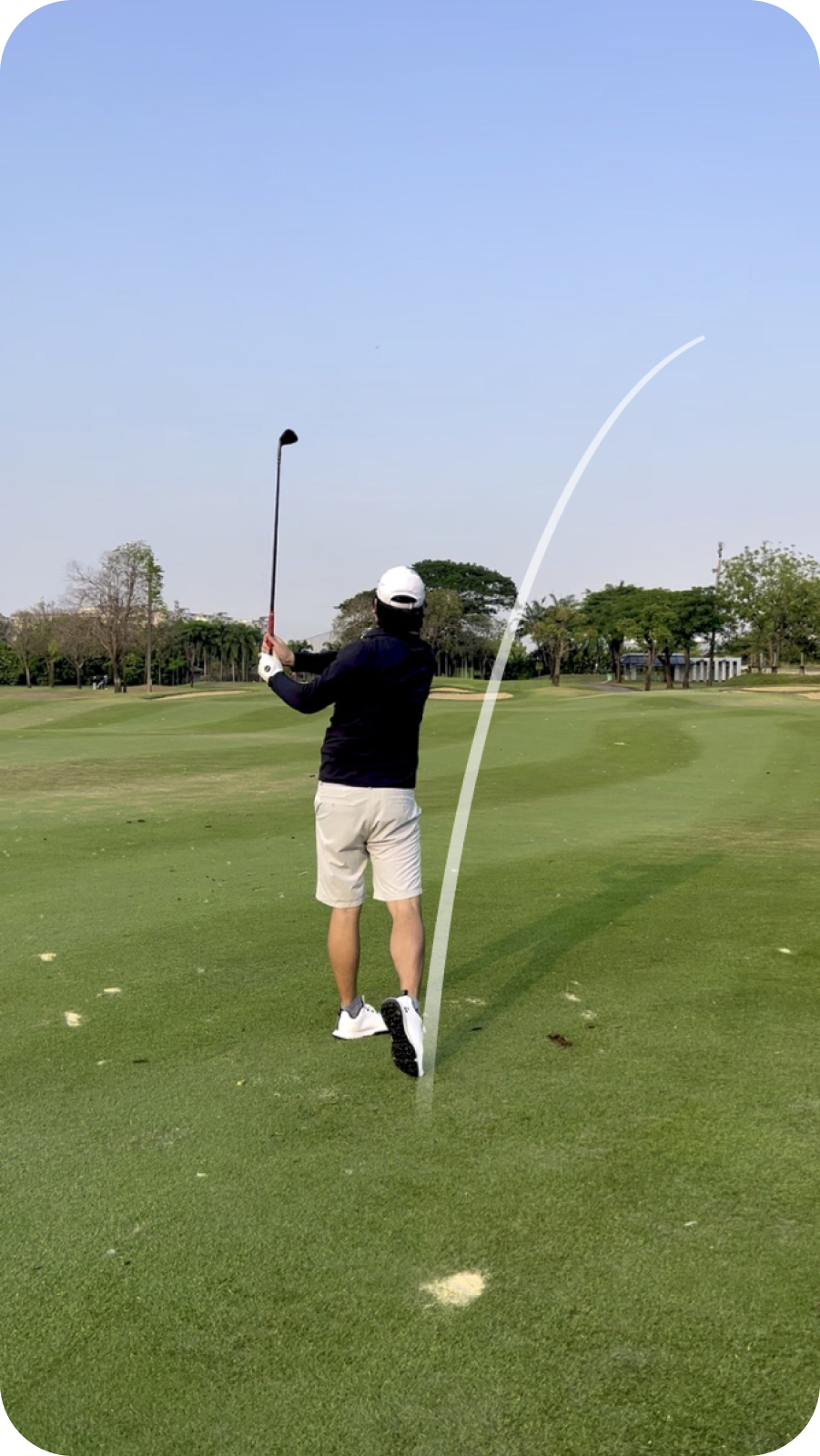
Tracers that pass behind the player.
Keep the golfer in the foreground, with the tracer passing naturally behind them.
Golf shot tracer and video editor for mobile
Trace your shots and putts, add a player card, and bring out the sound of the strike. All on your phone.
Coming soon


You hit it pure.
Nobody filmed it right.
Now you did.
And it looks like TV.

Features
Keep the golfer in the foreground, with the tracer passing naturally behind them.
Make the ball’s roll and the putt’s break easy to follow. Give that long putt a replay worth sharing.
Start with an automatic trace, then refine the flight’s height, curve, and landing point.
Highlight the flight with a tracer or a moving circle. Adjust the circle’s colour, size, fill, and border.
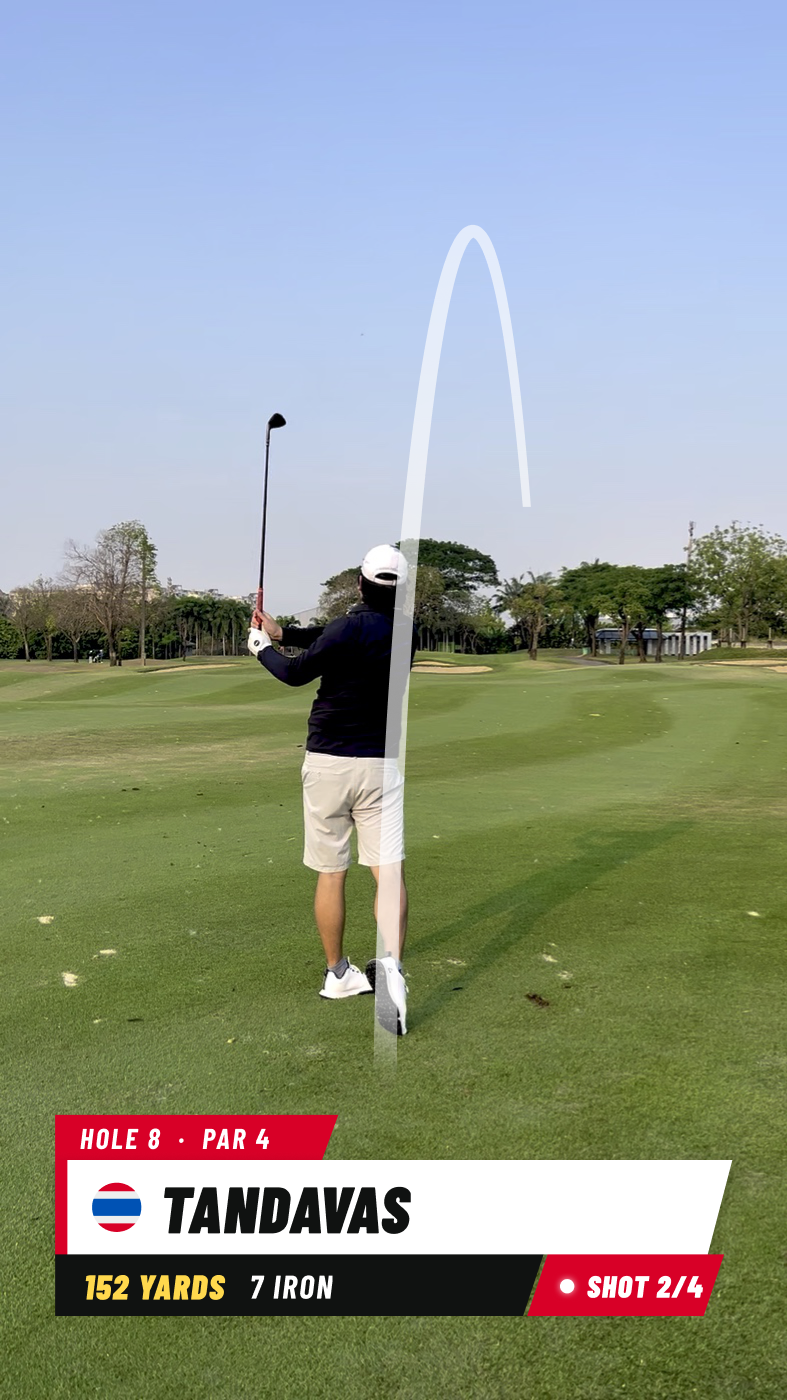
Add your name and shot details to a design that fits your style—from clean and minimal to bold and playful.
Add a badge for the club, ball or shaft you used, or tag your cap, top and shoes.
Enhance the impact sound and compare it with the original before exporting.
Process your video on your phone, without uploading it to create the tracer.
114+ styles
One shot. Endless ways to show it off.


And 60+ more in the app.
Common questions
Turn a video of your shot or putt into a replay with a tracer, a player card and enhanced impact sound. TraceGolf is a golf video editor for your phone, so you can finish the edit and export a video to share.
Yes. TraceGolf can keep the detected player in the foreground while the tracer passes behind them. This helps the replay look more natural. Detection depends on the footage, so check the result before exporting.
Yes. You can trace both shots and putts. Use a putting tracer to show the ball’s roll and the break of the putt, then review the result before you export.
Yes. Choose from 114+ player-card styles and add your name and shot details. There are clean, minimal designs as well as bold styles, so you can find a look that suits your video.
It brings out the sound of the strike captured in your video. Compare Original and Enhanced before exporting and choose the version you prefer. You can keep the original sound, and results depend on the audio in your clip.
No. TraceGolf processes the video on your phone to create the tracer, without uploading it for processing. Sharing your finished video is a separate step that you choose.
Yes. Ball Circle highlights the ball with a moving circle instead of a flight line. You can adjust its colour, size, fill and border to suit the footage.
The automatic trace gives you a starting point based on your video. You can adjust the flight’s height, curve and landing point to refine the replay. Some clips need more adjustment than others.
You can export at 1080p or your source video’s resolution, including 4K when the original footage and your phone support it. Source resolution preserves the starting resolution; it does not turn a 1080p clip into 4K.
Yes. Save your edits as a project and return to them later. You can revisit the replay, make adjustments and export when you’re happy with it.
No. TraceGolf creates an editable visual trace from your video. It does not measure shot distance, ball speed or spin. Any shot details you add to a player card are entered by you.
The plan is a free download with watermarked exports. An optional TraceGolf Pro upgrade will remove the watermark. The planned free version includes supported 4K exports too.
The plan includes a Yearly option and a one-time Lifetime purchase, both with the same Pro benefits. Yearly renews automatically unless cancelled; Lifetime has no recurring charge. Local prices and purchase terms will be shown in the app before you buy.
Yes. Start with a video from your phone’s library, including an older clip you want to revisit. For a new shot, record with your phone’s camera first, then open the video in TraceGolf.
You need your phone and a video of the shot. No launch monitor, GPS or extra sensors are needed to create the tracer. A tripod can help keep the camera steady, but the quality of the footage matters too.
Keep the camera steady, film in good light and make sure the ball is visible at impact. Leave room in the frame for the shot and avoid sudden camera movement. Results depend on the clip, so review the trace and adjust it before exporting.
Have a question, feedback or an idea for TraceGolf? Email us at contact@famolus.com.


